Access Control in Newmarket for Small Business
Fob and card entry for offices, clinics, warehouses and multi-tenant buildings. One door or eight, with a way to delete a departing employee in thirty seconds.

Quick answer
Access control in Newmarket replaces keys with fobs or cards, so a departing employee is removed from the system instead of triggering a lock change. A one-door fob system installed runs about $1,400 to $2,800, four doors $4,500 to $9,000. Call 866-820-1331 for a site quote.
The reason small businesses move to access control is almost never technology. It is turnover. Every time somebody leaves with a key, you are choosing between paying for a lock change and hoping. Do that four times in a year and the cost of rekeying starts to look a lot like the cost of a proper system that lets you delete a credential from a screen in half a minute.
That is the honest business case, and it is a good one for any Newmarket business with staff churn, contractors, cleaners, or multiple shifts. Clinics, dental offices, gyms, warehouses, self-storage, small manufacturers along Harry Walker Parkway, and multi-tenant offices around Davis Drive all end up here for the same reason.
It is also not always the answer. A three-person office where the same three people have worked for eight years does not need a controller and a cloud subscription. It needs three good cylinders and possibly a restricted key system so nobody can copy a key at a hardware store. We will tell you that rather than sell you a system you do not need.
Three kinds of system, three quite different prices
These get lumped together as access control and they are not the same product at all.
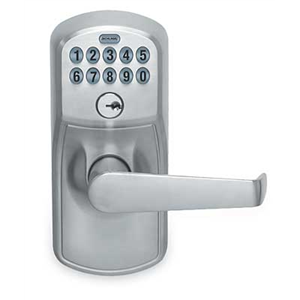
Standalone keypad or fob lock
All the intelligence sits in the lock or the reader at the door. No wiring, no server, no subscription. You add and delete codes or fobs at the door itself. Cheap, and fine for one or two low-traffic doors.
Networked controller
A panel in a cupboard runs the doors, readers report to it, and you manage users from a PC on your network. No monthly fee. Data stays on site. Needs a person who will actually keep the software running.
Cloud-managed
The controller talks to a hosted platform, so you manage users from a phone anywhere. Monthly or annual fee per door. Easiest for a business owner who is not always on site.
Credentials
Fobs, cards, PIN codes, phone credentials. Modern encrypted fobs are far harder to clone than the old 125 kHz proximity cards, which can be copied for a few dollars.
One thing worth knowing about credentials: a lot of buildings are still running low-frequency proximity fobs that can be copied by a $30 device sold openly online. If key control is the whole reason you are buying access control, ask specifically for encrypted high-frequency credentials. It costs a little more per fob and it closes an obvious hole.
What a door actually needs
People picture a reader on the wall. The reader is the cheap part. A properly controlled door needs four or five components and each one has a job.
- Reader at the door, reading a fob, card, code or phone
- Locking device — an electric strike, a maglock, or an electrified lock in the door itself
- Request to exit, so leaving does not raise an alarm — a motion sensor above the door, a push-to-exit button, or a switch in the inside lever
- Door position switch, so the system knows whether the door is actually shut, not just whether it was released
- Power supply with battery backup, sized for every device on the door
- Controller, in a cupboard or a comms room, holding the rules
The door position switch is the one people try to skip, and it is the one that turns access control into something useful. Without it the system can tell you a fob was presented. With it, the system can tell you the warehouse personnel door has been standing open for eleven minutes, which is the kind of thing you actually want to know at four in the afternoon.
Request-to-exit deserves a mention too. Nobody should ever need a credential to leave. On a maglock the REX device is what allows egress at all, which makes it life-safety equipment and not an optional extra. On an electric strike people leave mechanically by pushing the lever, and the REX simply stops the alarm complaining.
Adding and removing people when staff change
This is the daily reality of owning a system, and it is worth understanding before you buy. On a cloud system, removing a departed employee is a few taps on a phone and it takes effect immediately across every door. On a networked on-premise system it is the same operation on a PC, provided somebody knows the password and the software still runs on a current operating system.
On a standalone keypad it is messier: you delete the user code at the door, or if everyone shares one code, you change the code and tell everybody the new one. That last arrangement is common and close to useless, because a shared code that four people know is a shared code that eleven people know within a year.
The other half is the audit trail. Every credential use is logged with a timestamp, so you can answer questions like who opened the stockroom at 6:40 on Sunday. That has settled more workplace disputes than it has ever caught a thief, and it is quietly one of the strongest reasons to have a system. Be aware there are privacy expectations around employee monitoring in Ontario workplaces — be transparent with staff about what is logged and why. It is a short conversation and it prevents a longer one.
Issue and label
Every fob has a number. Record who holds which one on the day it is issued, in the system, not on a sticky note.
Set schedules
Cleaners get access 6 to 9 p.m. weekdays. Delivery staff get the rear door only. Managers get everything. Rules do more work than credentials.
Delete, do not collect
When someone leaves, delete the credential immediately. Getting the physical fob back is nice but it is not the security step.
Review quarterly
Pull the user list four times a year and question anyone you cannot name. Most systems accumulate ghosts.
What happens when the power fails
Ask this before you sign anything. It is the question that separates a system that has been thought about from one that has been sold.
Every controlled door has a locking device with a fail mode, and it is the same fail-safe versus fail-secure decision covered in detail on our electric strike installation page. A maglock is inherently fail-safe: no power, no magnet, door open. An electric strike is usually fail-secure: no power, still locked, and people still get out by hand. Neither is right or wrong until you know which door it is on.
Then there is battery backup. A properly specified power supply carries batteries that hold the doors up for several hours, so a brief outage is invisible. Without it, a fail-secure door will not release for anybody with a fob until power comes back, and the only way in is a mechanical key override. Which is exactly why every controlled door we fit keeps a key override, no matter how modern the system is. Batteries die, controllers crash, and somebody needs a way in.
Realistic access control budgets in Newmarket
Access control quotes vary wildly, mostly because of what is quietly left out. These figures assume a complete door — reader, locking device, REX, position switch, power with backup, cabling and commissioning — not just a reader on a wall.
| Scope | What it includes | Price range (CAD) |
|---|---|---|
| Standalone fob or keypad lock, one door | Battery-powered lock, no wiring | $450 – $1,100 |
| One door, networked or cloud, fully installed | Reader, strike, REX, DPS, power, controller | $1,400 – $2,800 |
| Four doors, fully installed | Shared controller and power, four complete doors | $4,500 – $9,000 |
| Eight doors, fully installed | Two panels or an expanded controller, eight doors | $8,500 – $17,000 |
| Cloud management subscription | Per door, per month | $8 – $25 per door / month |
| Additional encrypted fobs or cards | Programmed and issued | $8 – $22 each |
| Add a door to an existing system | Reader, lock device, cabling | $900 – $2,200 |
| Take over and support an existing system | Audit, credential cleanup, documentation | $260 – $700 |
| Maglock with REX and fire alarm interface | Per door, installed | $1,200 – $2,600 |
| Annual service and user list review | Per site | quoted per site |
Ranges are typical for Newmarket in 2026 and cover labour plus standard commercial-grade parts. Overnight, weekend and statutory holiday call-outs carry a premium. A firm price is confirmed on the phone before a technician is dispatched.
Systems we install around Newmarket
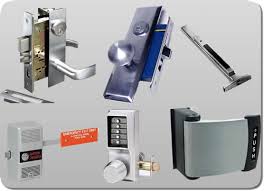
Clinics and dental practices that need treatment areas and record storage separated from the waiting room. Warehouses and light industrial near Highway 404 with a personnel door, a shipping office and a yard gate. Gyms and studios running twenty-four hour member access. Multi-tenant office buildings where the lobby, the elevator lobby and each suite need different rules.
Access control pairs naturally with CCTV, because a log entry plus a clip of the person is far more useful than either alone. And it never removes the need for good mechanical hardware behind it — every controlled door still has a lock, a closer and a latch that have to work.
Buying a system without regretting it
Access control across York Region and Simcoe
We install and support fob systems in the towns around Newmarket. Installs are scheduled, usually staged over a day or two so at least one entrance stays usable throughout. Service calls dispatch from the Newmarket base.
Frequently asked questions
How much does access control cost for a small Newmarket business?
One fully installed door on a networked or cloud system runs about $1,400 to $2,800 including the reader, locking device, request-to-exit, door position switch, power with battery backup and commissioning. Four doors typically land between $4,500 and $9,000, and eight doors between $8,500 and $17,000.
Do I need a monthly subscription?
Only for cloud-managed systems, and that runs roughly $8 to $25 per door per month. A networked on-premise controller has no subscription but you own the software, the backups and the updates. Standalone locks have no fee at all. Which is right depends on whether you want to manage users from your phone.
How do I remove someone who has left?
On a cloud or networked system, delete their credential in the software and it stops working at every door within seconds. That is the entire value proposition compared with keys. On a standalone keypad you delete their code at the door, or change a shared code, which is why shared codes are a poor arrangement.
Can fobs be copied?
Old 125 kHz proximity fobs can be cloned with a cheap device sold openly online. Modern encrypted high-frequency credentials are far harder to copy and are what we specify when key control is the reason for the system. If you inherited a building running old prox cards, that is worth reviewing.
What happens in a power failure?
It depends on the locking device and whether there is battery backup. A fail-secure electric strike stays locked and people still leave by hand. A maglock releases when power stops. A properly specified power supply carries batteries that ride out a normal outage. Every door we fit also keeps a mechanical key override.
Can I see who came in and when?
Yes, every credential use is time-stamped and you can pull a report by door, by person or by date. Add door position switches and you also see doors left propped open. Be transparent with your staff about what is logged — employee monitoring carries privacy expectations in Ontario workplaces.
Can you take over a system somebody else installed?
Usually. We audit what is there, identify the panel and reader technology, get you administrative access, clean up the credential list and document it. That typically runs $260 to $700. Occasionally a system is proprietary and locked to the original dealer, and we will tell you straight away if that is the case.
Is access control better than just rekeying?
Not automatically. If your staff are stable and you rekey once every five years, mechanical hardware with a restricted keyway is cheaper and simpler. If you have turnover, contractors, cleaners or multiple shifts, the ability to delete a person instantly pays for the system quickly. Turnover is the deciding factor.
Related locksmith services in Newmarket
Get a straight quote on a fob system
Tell us how many doors, how many people and whether you want to manage it from a phone. We will price complete doors, not just readers. Call 866-820-1331.